![cleever_color.svg]](https://help.cleever.com/hubfs/cleever_color.svg)
Here are the steps to follow to update your Stripe registration information.
- Connect to your merchant dashboard on merchant.cleever.com

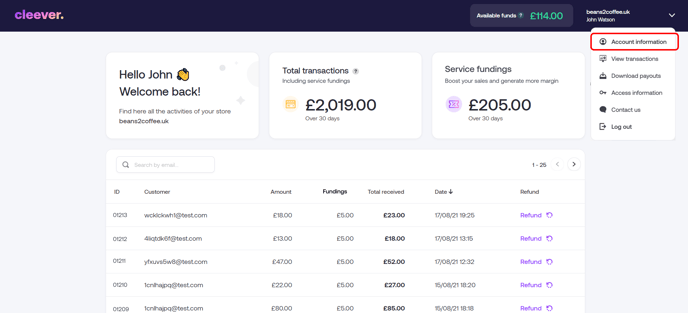
- Click on the top right menu, where the URL of your website appears
- Click on "Account information"
- Stripe will send you a text message to verify your identity
- A box should appear at the top of the screen, mentioning the required updates
- Click on "Update info"
- You will be able to finalise registration from there